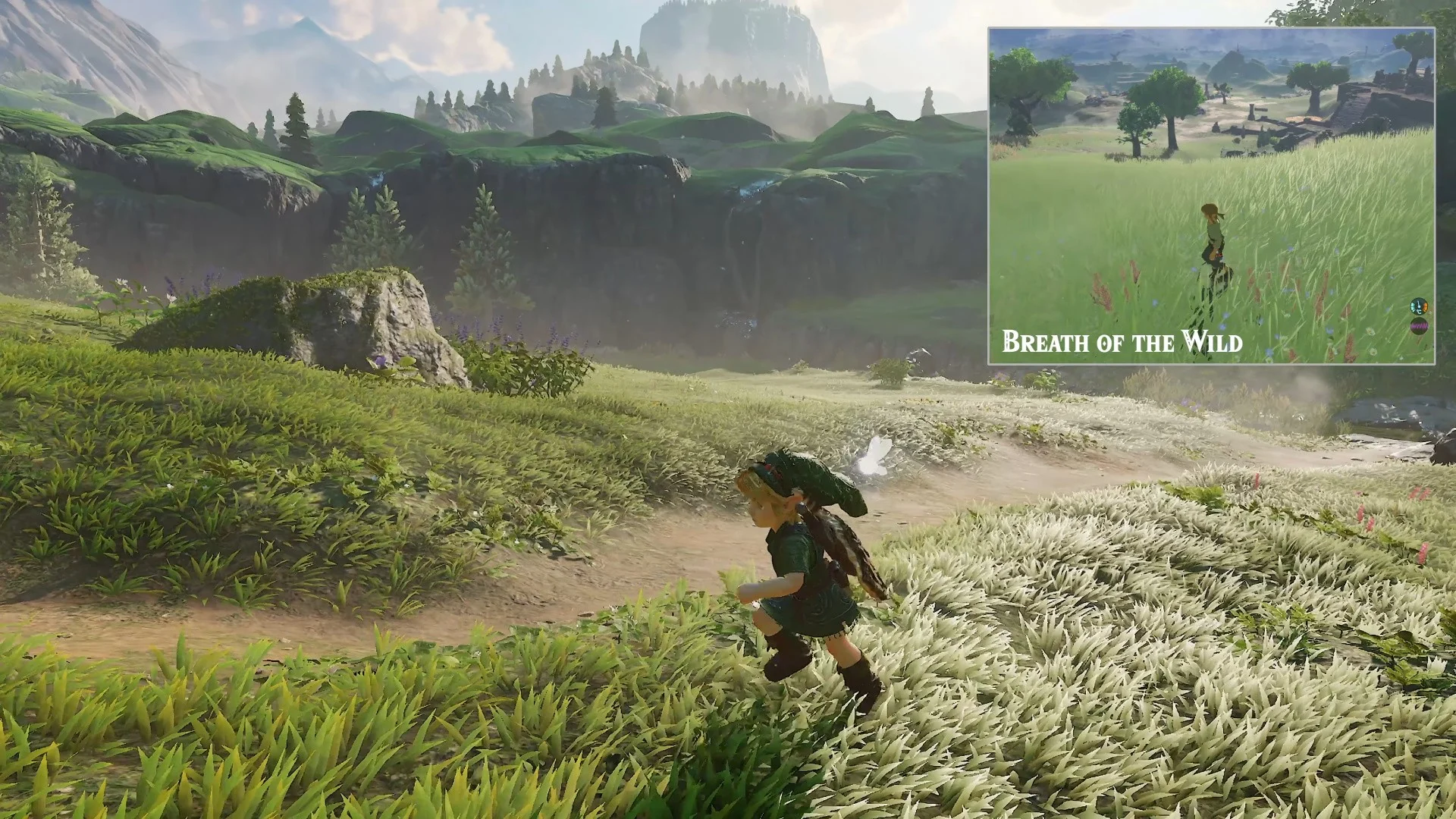
Want to play Zelda: Ocarina of Time Remake on PC? Lichii Emulator is a free, open-source Nintendo Switch and Switch 2 emulator that has been used to test the Ocarina of Time remake workload on Windows computers.
If you’re looking for an easy way to set up Lichii, this guide explains how to download the emulator, prepare compatible game files, configure your settings, and attempt to launch the game.
Note: Lichii is experimental. Game compatibility, performance, and stability depend on the emulator build, PC hardware, and game version.
Step 1: Download Lichii Emulator for PC
Start by downloading a compatible Windows build of Lichii Emulator.
- Visit our Lichii Emulator Download page.
- Select Windows (x86-64).
- Download the Windows ZIP archive.
- Extract the ZIP file to a folder on your computer.
- Open the extracted directory and launch
lichii.exe.
Lichii is generally distributed as a portable application, so no separate Windows installation wizard is necessary.
Step 2: Prepare Ocarina of Time Remake NUP Files
The Ocarina of Time Remake NUP file format is important for certain documented Lichii setups.
One version-specific setup uses a decrypted .nup game file, rather than extracted exefs and romfs folders.
Before continuing:
- Make sure you have a legally obtained copy of the game.
- Check that your game version matches the supported configuration.
- Keep the game files in a dedicated folder.
- Follow the relevant build or launcher’s documentation.
LichiiEmulator.site does not provide game ROMs, copyrighted downloads, firmware, or encryption keys.
Step 3: Add Zelda: Ocarina of Time Remake to Lichii
Open Lichii Emulator and find the option to add a game directory.
Select the folder containing your supported game files and allow the emulator to scan it.
If Zelda appears in the game library, double-click it to attempt launching the game.
Some Ocarina of Time remake configurations require a specialized launcher and will not work through ordinary directory scanning. Use the documented launch method for your particular game format.
Step 4: Configure Lichii for Better Performance
Before starting the game, review the emulator’s graphics and control settings.
- Graphics: Start with default settings and up-to-date GPU drivers.
- Vulkan: The documented Ocarina of Time setup requires Vulkan 1.3 support.
- Controller: Connect a compatible controller and configure the buttons.
- CPU Clock: Keep it on Normal when using the Dynamic FPS add-on.
- Dynamic FPS: If you encounter incorrect game speed, test with the add-on disabled.
Lichii introduced an Ocarina of Time Dynamic FPS add-on in Build 88, but it may not work correctly in every situation.
Step 5: Launch Ocarina of Time Remake on PC
Once your emulator and compatible game files are ready, launch Zelda using the supported method.
The emulator may take time to initialize, and you may notice stuttering while shaders are prepared.
If the game reaches the title screen, test the controls, graphics, and performance before continuing.
Remember that a successful launch doesn’t guarantee the entire game is playable.
Common Lichii Emulator Problems
| Problem | Possible solution |
|---|---|
| Game not appearing | Check the game version, NUP format, and launch method. |
| Black screen | Update graphics drivers and restore default settings. |
| Low FPS | Reduce rendering resolution and close background applications. |
| Game running too fast | Set CPU Clock to Normal and test Dynamic FPS settings. |
| Emulator crashing | Try another official Lichii build. |
Frequently Asked Questions
Can I play Zelda: Ocarina of Time Remake on PC?
Lichii has been used for experimental Ocarina of Time remake testing. Whether the game runs successfully depends on your hardware, game version, and emulator configuration.
What is the Ocarina of Time Remake NUP file?
A .nup file is the game-file format required by a particular documented Ocarina of Time remake setup. Not every emulator setup accepts the same file formats.
Where can I download Lichii Emulator?
You can visit our Lichii Emulator Download page to find download instructions and links to official GitHub releases.
Can I play Ocarina of Time Remake at 60 FPS?
Performance varies by computer and emulator build. Lichii’s Dynamic FPS add-on attempts to improve game timing, but smooth 60 FPS gameplay is not guaranteed.
Is Lichii Emulator free?
Yes. Lichii is free and open-source software.
Final Thoughts
Playing Zelda: Ocarina of Time Remake on PC with Lichii Emulator requires a compatible Windows build, supported game files, and appropriate graphics and control settings.
Since Lichii is under active development, check the latest Lichii builds and game compatibility information for updates.